For students and graduates

Internships and first jobs,
applied to for you.

Aplies is a Chrome extension that applies to LinkedIn jobs for you, from your CV. Narrow the search to Internship and Entry level, choose how close a match has to be, and it fills and submits each Easy Apply form. You can try it on free credits, without a card.

5 free credits to start · No card · Desktop Chrome

Who it's for

Is this your search?

You're after an internship or a first role. Plenty of postings might fit, your CV is still short, and every form asks about start dates, salary and experience you're still building.

Applying widely makes sense. Typing every form by hand is what takes the time. The Agent does the forms; you decide where it applies.

How it fits

What the Agent does for a first search

It reads your CV, and you check it

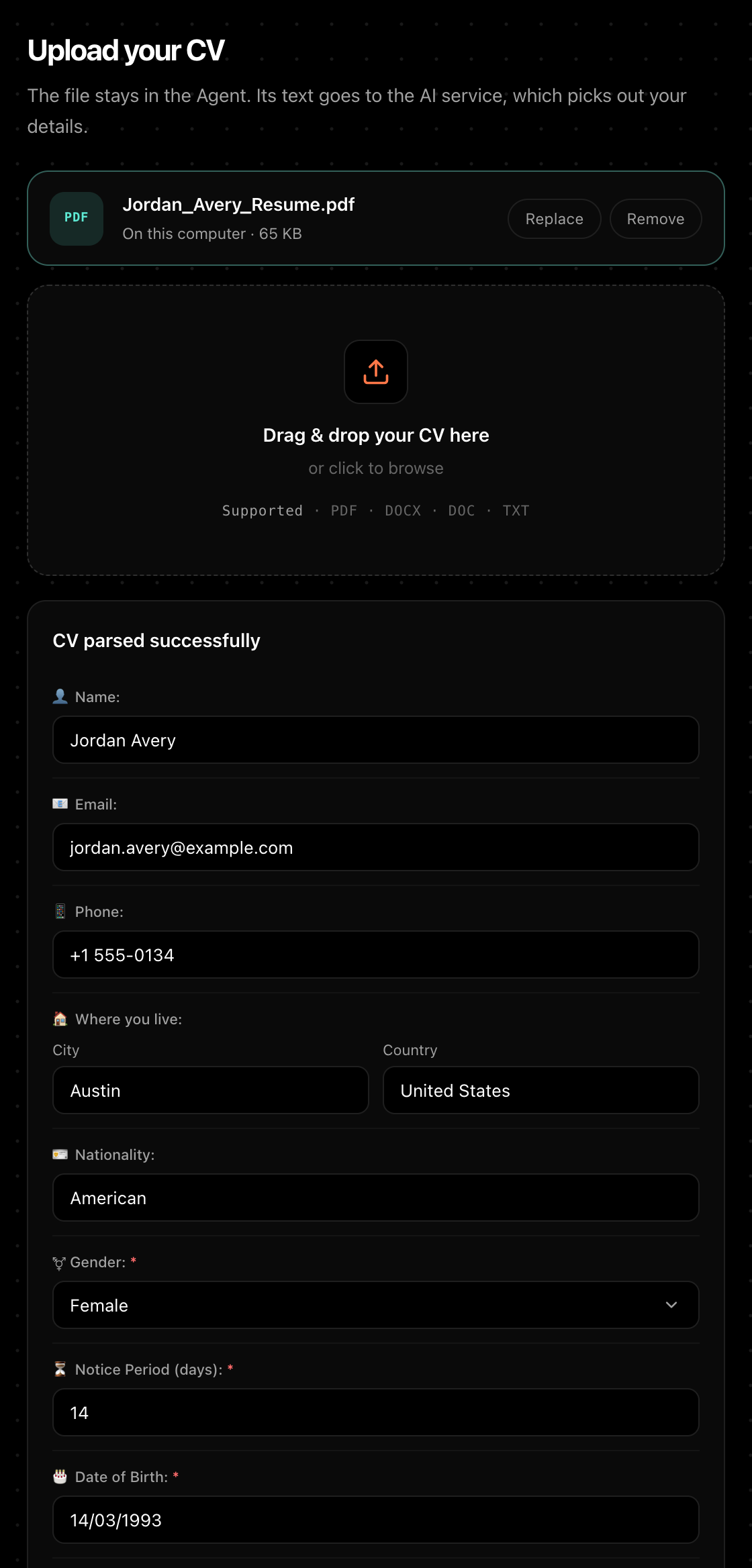
Add your CV as a PDF, a Word (.docx) file or plain text. The Agent pulls out your details and shows them as fields you can edit, next to the full text it read. Date of birth, gender and notice period are required in setup.

  • The file is never uploaded to Aplies. Its text is sent to Aplies' AI service to pick out your details.
  • The file goes only to the employer forms that ask for it.
  • Up to 8 MB. A scanned CV with no text layer can't be read; paste the text instead.
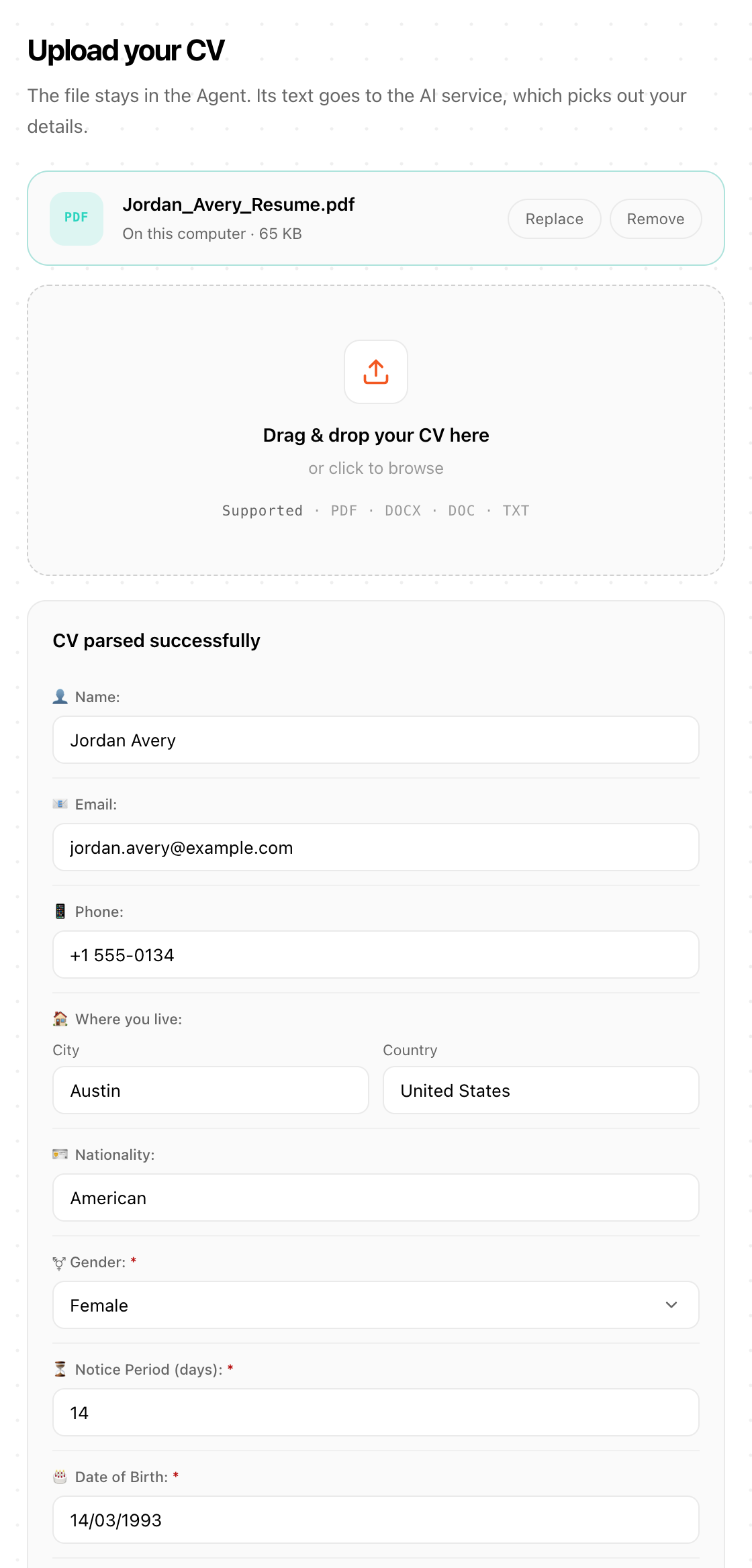
Aplies Agent setup, step 2: a PDF CV kept on this computer, and the details read from it as editable fields — name, email, phone, where you live, nationality, gender, notice period and date of birth.
Setup, step 2: what it read, ready to correct.

It scores every job before opening it

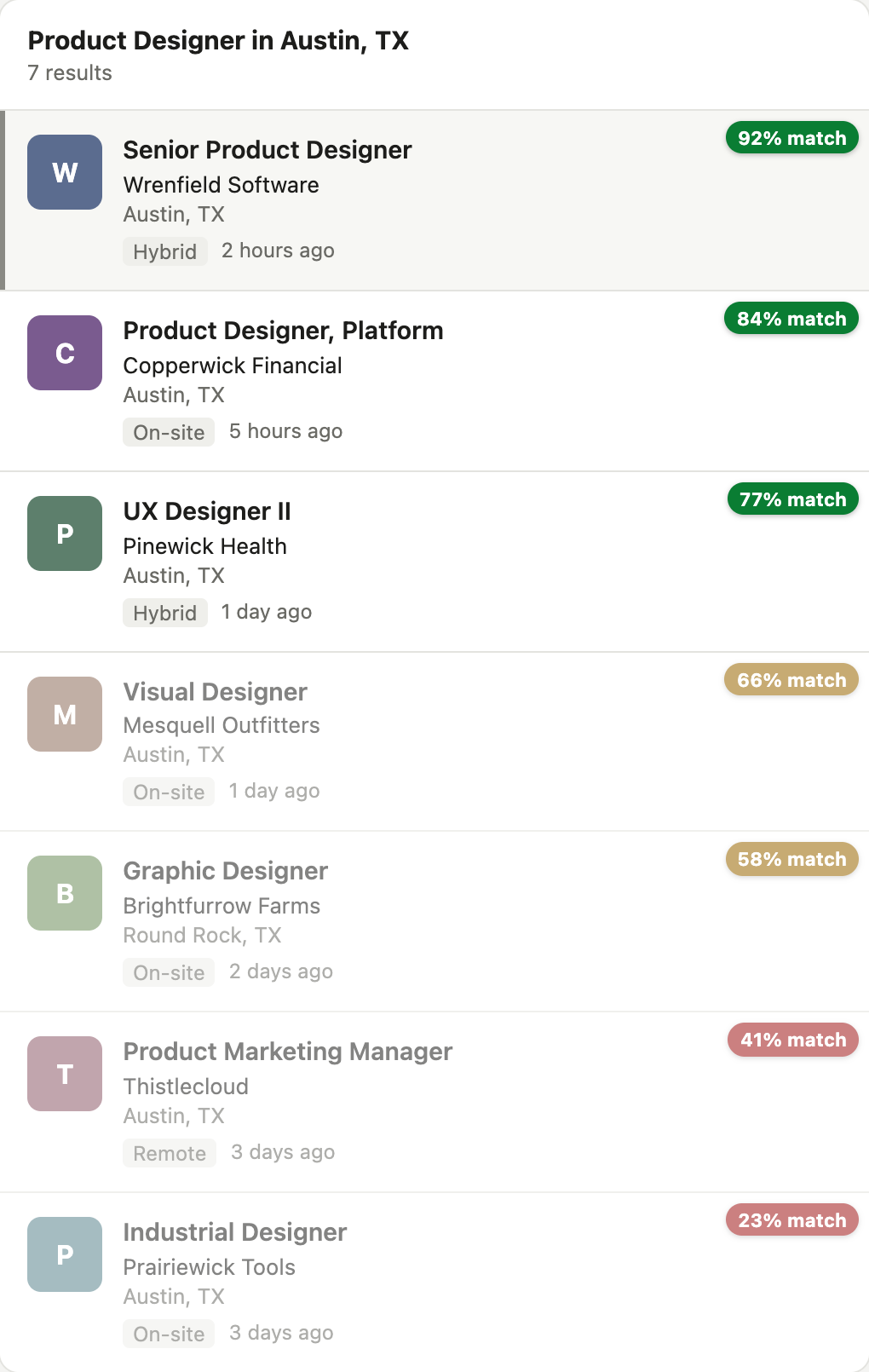
Each job gets an AI match score out of 100: mostly how well it fits the title you searched, partly how well it fits your CV. Only jobs at or above your “Min job match %” are opened. Jobs below it are never opened and never cost anything.

  • With your account connected, LinkedIn's job pages show the score on every card: green at or above your minimum, amber just below, red further below.
  • Set the minimum to 0 and it applies to every job its search finds.
A job list with the Aplies Agent's match pills against a minimum of 70%: 92, 84 and 77 in green, 66 and 58 in amber, 41 and 23 in red, the jobs below the minimum dimmed.
Match pills on a job list, with the minimum set to 70%.

It asks when it isn't sure

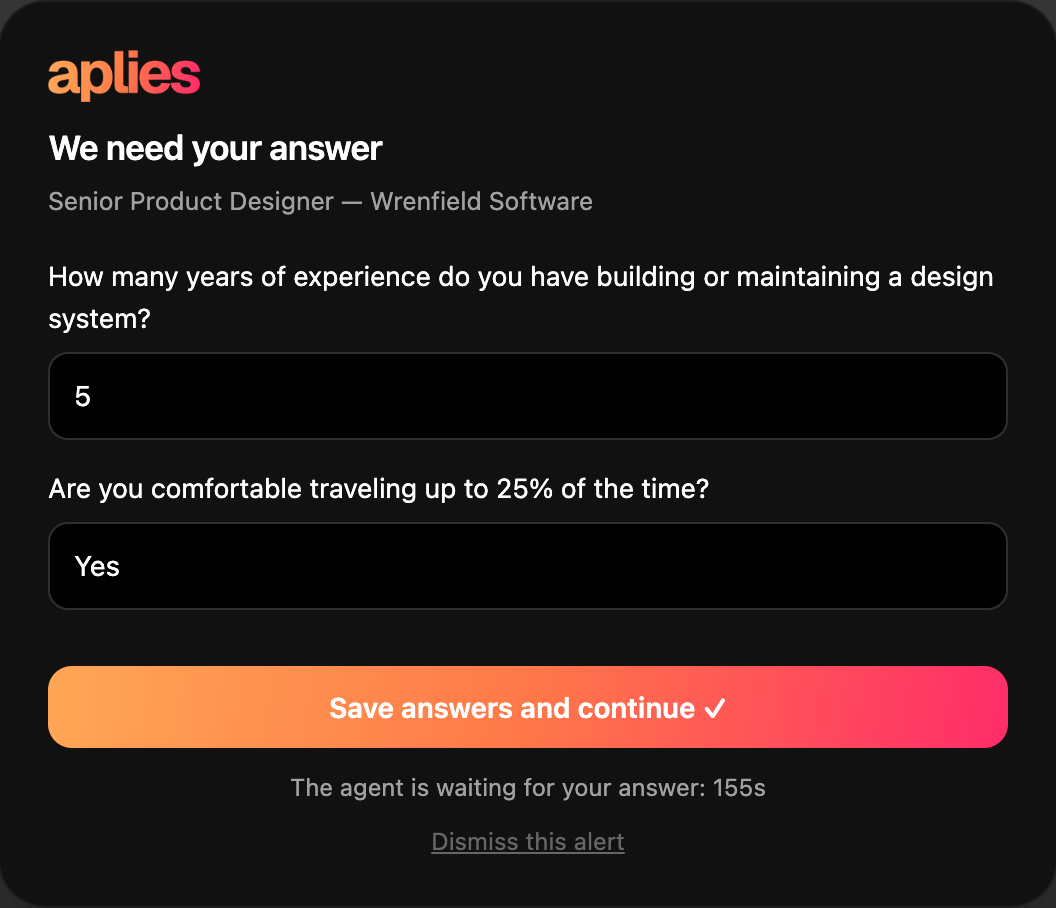
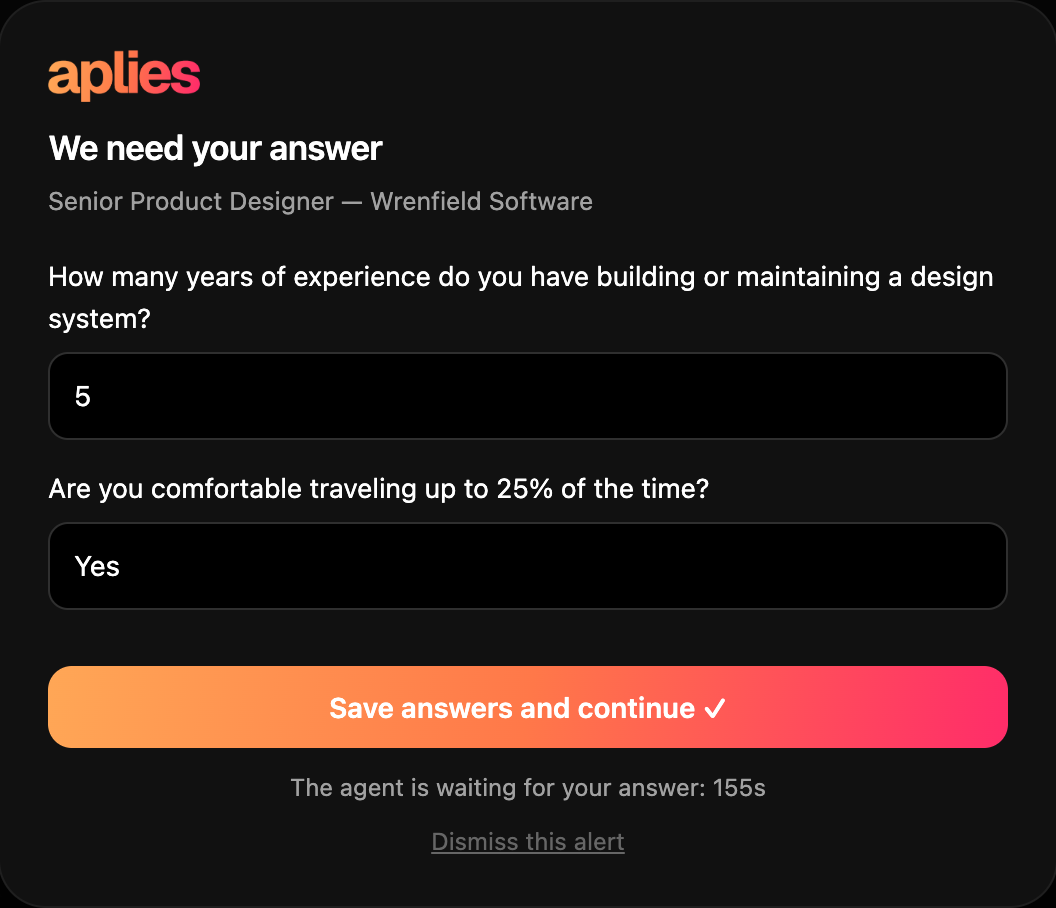
When the Agent is less than 80% sure of an answer, it asks you (on company sites, only for required questions) with a chime, a Chrome notification and a card on the page. Answer and press “Save answers and continue ✓”, and your answer is saved for the next form that asks the same question.

  • You have up to 3 minutes. If no answer comes, an ordinary question goes out with the Agent's own best answer.
  • For a personal fact or a required answer only you can give, it keeps waiting and reminds you. Skip leaves that job, not submitted and not charged.
The Aplies Agent's question card, “We need your answer”, for Senior Product Designer at Wrenfield Software: two questions with its suggested answers filled in, a “Save answers and continue ✓” button and the seconds left.
The card it shows on the page.
Your answers

What will it say on your behalf?

  • It avoids answering “0 years” to an experience question.
  • It never makes up your date of birth, gender, nationality, phone or notice period. They come from your setup. If one is needed and the Agent isn't sure, it asks, and waits for your answer rather than guess.
  • On yes/no questions about skills, qualifications or a driving licence, it answers “Yes” unless your CV says otherwise. That never applies to legal status, immigration, criminal history, clearance or professional licences. You can turn this off in the Agent's settings (“When unsure about a skill”), and it then asks you instead.
  • A text box for a summary or a cover letter gets a short professional statement written from your CV. On company career sites, a cover letter you saved under “Other documents” is attached when a form asks for it by name.
  • Voluntary self-identification questions, such as race, ethnicity, veteran status, disability or sexual orientation, get the form's “decline to answer” option or are left blank.
Settings

Which settings suit this search?

Each one is in the Agent's setup or its Settings, and you can change it later.

Experience levelSetup → Jobs
Internship and Entry level.All six levels are selected by default. Untick the ones above where you are.
Job titlesSetup → Jobs
Several titles that fit what you studied, separated by commas.Entry-level roles go by many names, and each title is its own search.
Min job match %Setup → Jobs
The default 60, or a little lower.Entry-level job titles vary a lot, and a moderate minimum keeps related roles in. Jobs below it are never opened.
Job typeSetup → Jobs
Untick what you can't do: On-site, Hybrid or Remote.All three are selected by default.
Other documentsSetup → CV
A cover letter, and a transcript if employers ask for one.On company career sites, a saved document is attached when a form asks for it by name. A required document you haven't saved comes back to you.
Before you start

What should you know first?

Desktop Chrome and LinkedIn

It runs in Chrome on a desktop or laptop, and you need to be signed in to LinkedIn in that Chrome. It searches LinkedIn only.

It submits on its own

There's no approve step: after a short pause, it submits. Read the Application Report after your first runs and correct any answer you'd give differently; the correction is used next time.

Company sites are off by default

It starts with LinkedIn Easy Apply. Employers' own career sites stay off until you turn them on, and an application there costs 2 credits.

A daily ceiling

It stays under your hourly limit and a daily ceiling it never passes. A long list of matching jobs can take more than one day.

What it costs

What does it cost to try?

Nothing to start. Verify a phone number on WhatsApp or Telegram and your account unlocks 5 free credits, with no card. They last 30 days from unlocking, and one number unlocks free credits for one account.

1credit for an Easy Apply application
2credits for a company-site application

A credit is reserved just before the Agent submits and charged when the application goes through. If it stops before submitting, it costs nothing.

See plans and pricing
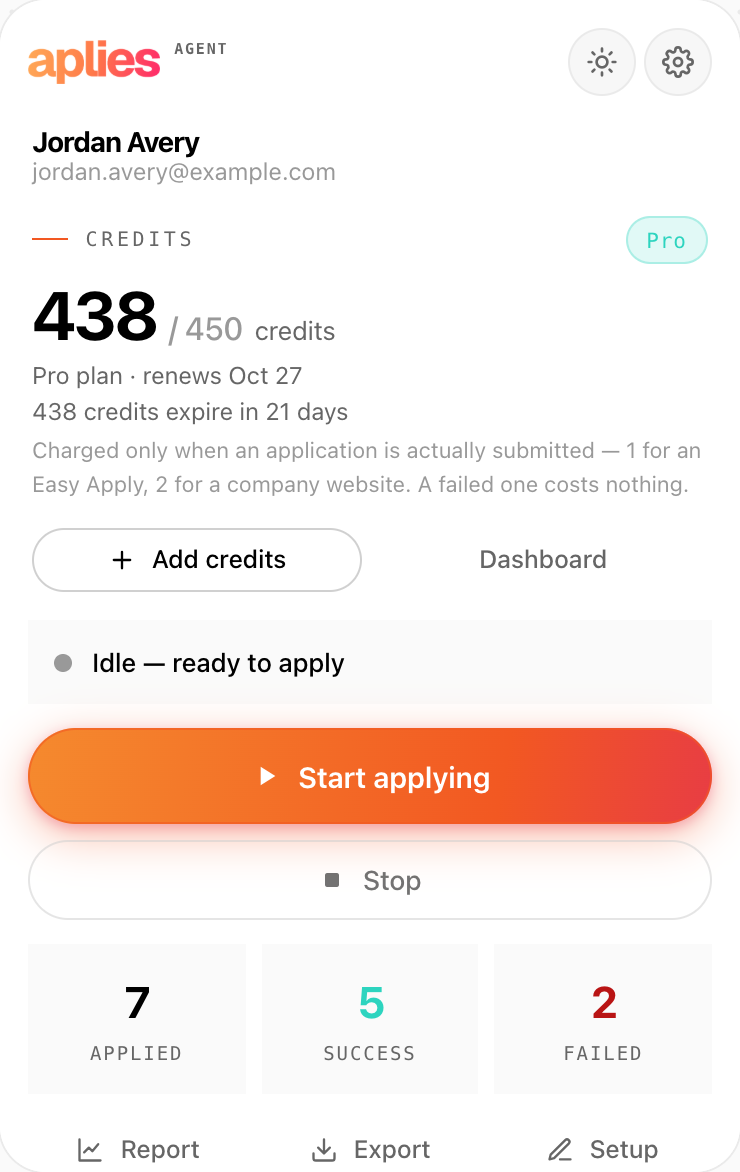
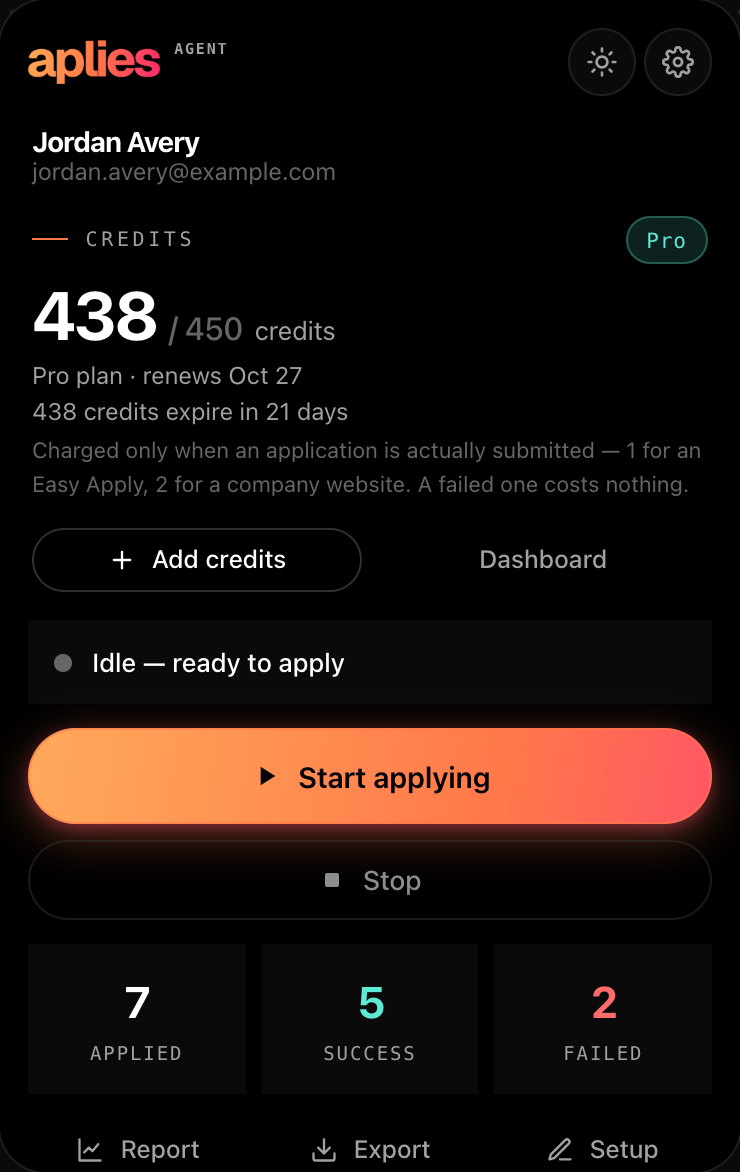
The Aplies Agent popup, connected and idle: the credit balance on the Pro plan, and the rule that a credit is charged only when an application is actually submitted.
The Agent's popup states the same rule.

Start with 5 free credits.

Create your account, verify your phone to unlock them, add the Agent to Chrome and give it your CV. No card needed.