For senior professionals

Fewer applications.
Each one above your bar.

Aplies is a Chrome extension that applies to jobs for you, from your CV. Set a high match minimum and choose Director and Executive: it opens only the roles that clear your bar, applies through LinkedIn Easy Apply or, if you turn them on, employers' own career sites, and keeps every question and answer on record.

5 free credits to start · No card · Desktop Chrome

Who it's for

Is this your search?

You're not applying to everything. You're applying to a short list, and each one still means the same forms: contact details, the CV upload, salary, notice period, a page of screening questions.

You want them done properly, and you want to know afterwards exactly what was said on your behalf. The Agent does the forms, takes your personal facts only from your setup, and records every answer.

How it fits

What the Agent does for a selective search

A bar you set

Every job gets an AI match score out of 100: mostly how well it fits the title you searched, partly how well it fits your CV. Set “Min job match %” high and choose Director and Executive under “Experience level”, and only jobs that clear your minimum are opened.

  • Jobs below the minimum are never opened and never cost anything.
  • The default is 60. You can set anything from 0 to 100.
Aplies Agent setup, Job preferences: “Min job match %” set to 70, all job types, and the experience levels Associate, Mid-Senior level and Director.
Setup, step 3: the minimum and the levels.

Employers' own career sites, when you want them

Company career sites are off by default. Turn on “Apply on company websites” and the Agent follows a job's Apply button to the employer's careers page in a background tab, uploads your CV, fills up to 10 pages and submits.

  • Greenhouse, Lever, Ashby, SmartRecruiters and Workday are supported by name. Other careers sites go through a general engine.
  • It never creates an account or types a password. At a sign-in wall, which most Workday sites have, it waits for you to sign in, then carries on.
  • A company-site application costs 2 credits. A security check on a company site waits for you; a job you skip there costs nothing.
The Aplies Agent popup applying on a company site for UX Designer II, with 2 credits reserved for the application in progress.
A company-site application in progress.

Personal facts come only from you

Date of birth, gender, nationality, phone and notice period come from your setup. If a form needs one of these and the Agent isn't sure, it asks you and waits for your answer rather than guess.

  • On company sites it asks about unsure required questions; unsure optional fields are left as they are.
  • Other questions still open when the wait ends go out with the Agent's own best answer.
  • It only uses links that are in your CV or profile. It never builds a profile URL from your name.
The Aplies Agent's card on a company careers form for UX Designer II at Pinewick Health: a required question with the Agent's suggested answer, and a required question it left blank for you.
On a company site, it asks on the page.

Every answer, on record

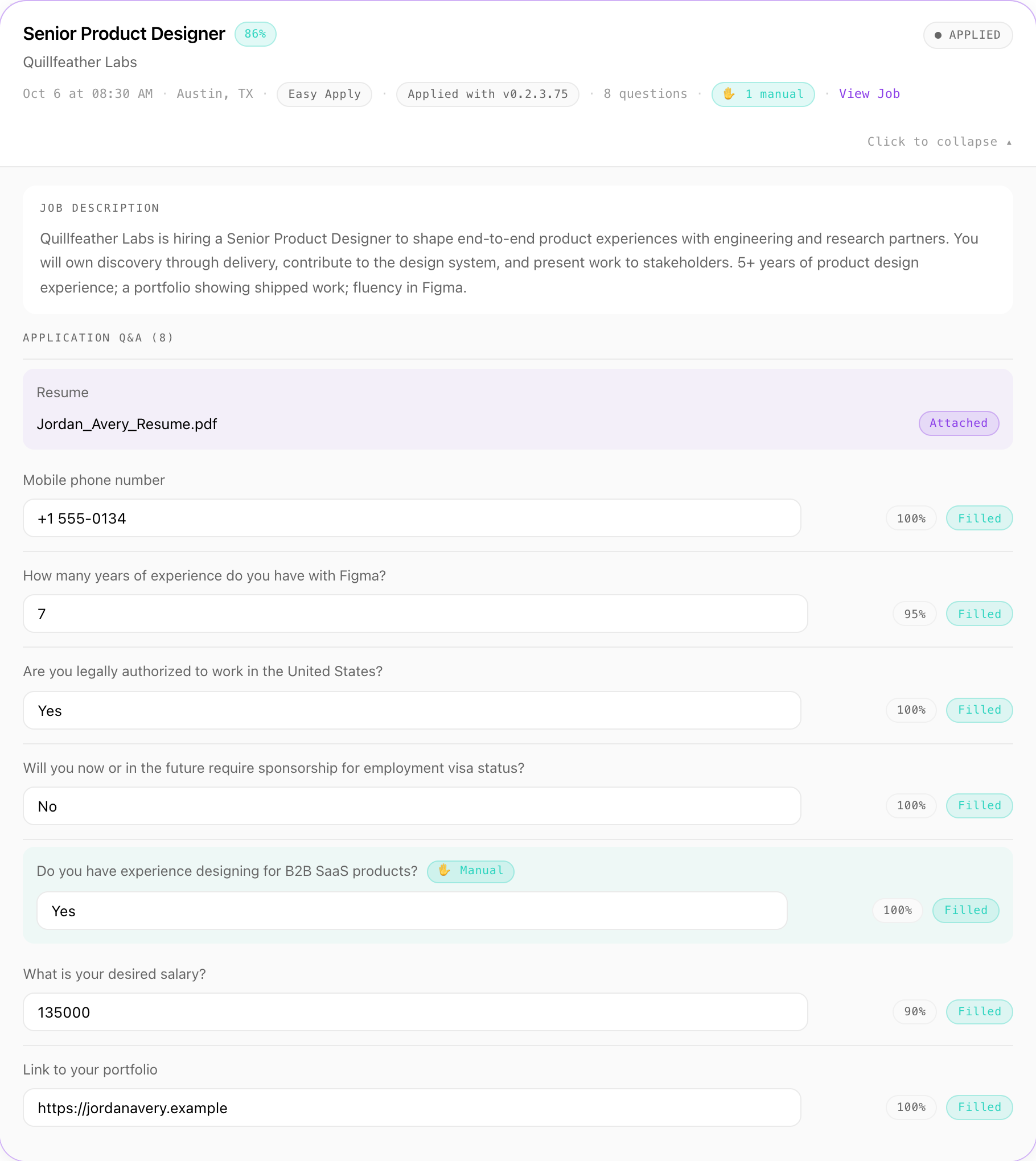
The Application Report keeps every attempt, failures included: the job, the company, the link, every question and the answer given, how sure the Agent was, and whether it went through Easy Apply or a company website. Correct an answer there and it's used next time.

  • Export it as a CSV, with a JSON backup.
  • Your dashboard on aplies.com shows what each application was charged.
One application in the Aplies Agent's report — Senior Product Designer at Quillfeather Labs, through Easy Apply — with every question, the answer given and its confidence, including work authorization, sponsorship and salary.
Report: one application, every question and answer.
Settings

Which settings suit this search?

Each one is in the Agent's setup or its Settings, and you can change it later.

Min job match %Setup → Jobs, or Settings → General
Higher than the default 60. Try 80.Only jobs at or above it are opened. Expect fewer applications; that's the point.
Experience levelSetup → Jobs
Director and Executive, and Mid-Senior level if it fits.All six levels are selected by default.
Apply on company websitesSettings → General
On.While it's off, jobs whose application continues on the employer's own site are skipped. Chrome asks once for access to sites.
Other documentsSetup → CV
Your cover letter and portfolio.On company career sites, a saved document is attached when a form asks for it by name. A required document you haven't saved comes back to you.
Salary expectationsSetup → Salary
Current and expected, in US dollars, plus your own figures in other currencies.Salary questions are answered from these, so they're worth getting exactly right.
Before you start

What should you know first?

There's no approve step

After a short pause it submits on its own. If you want to read each application before it goes, this isn't that tool: set the bar high and read the report.

Workday usually ends at a sign-in wall

The Agent never creates candidate accounts, so most Workday applications come back to you with the tab left open.

It leans “Yes” on skills

On yes/no questions about skills, qualifications or a driving licence it answers “Yes” unless your CV says otherwise, never on legal status, immigration, criminal history, clearance or professional licences. You can turn this off in the Agent's settings (“When unsure about a skill”), and it then asks you instead. Read your first reports and correct anything you'd answer differently.

LinkedIn is where it searches

It finds jobs on LinkedIn only, and reaches employers' own sites through a LinkedIn job's Apply button.

What it costs

What does it cost to try?

Nothing to start. Verify a phone number on WhatsApp or Telegram and your account unlocks 5 free credits, with no card. They last 30 days from unlocking, and one number unlocks free credits for one account.

1credit for an Easy Apply application
2credits for a company-site application

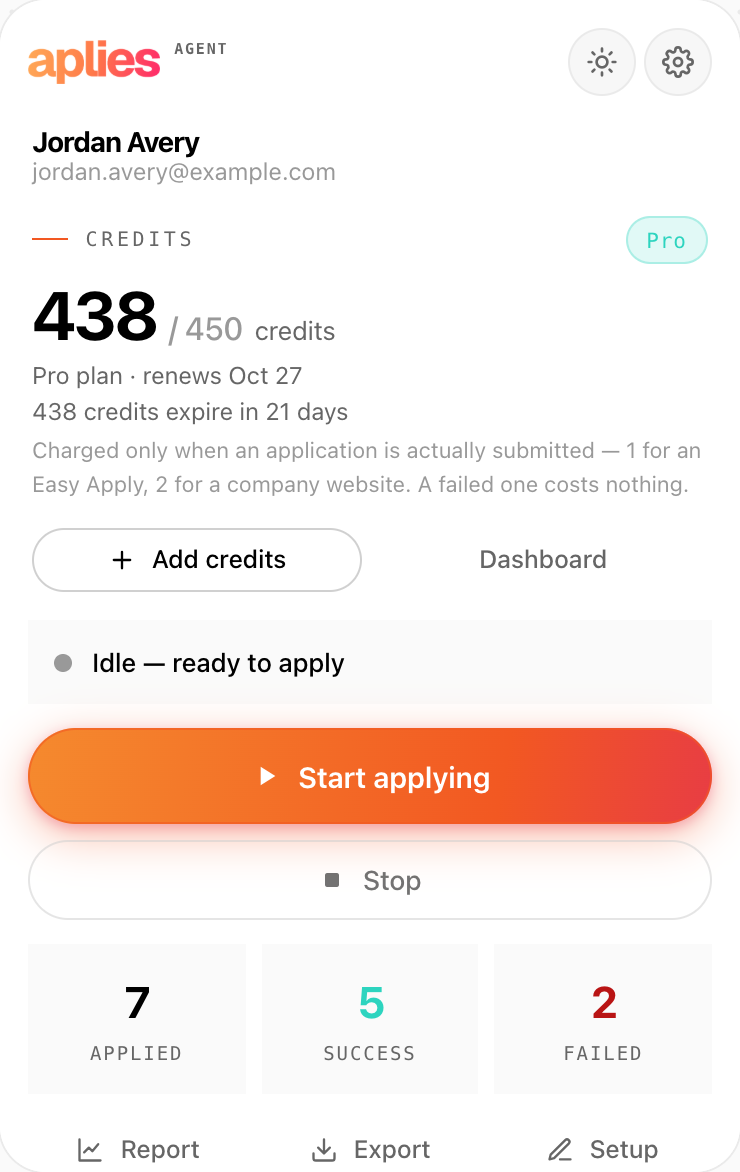
A credit is reserved just before the Agent submits and charged when the application goes through. If it stops before submitting, it costs nothing.

See plans and pricing
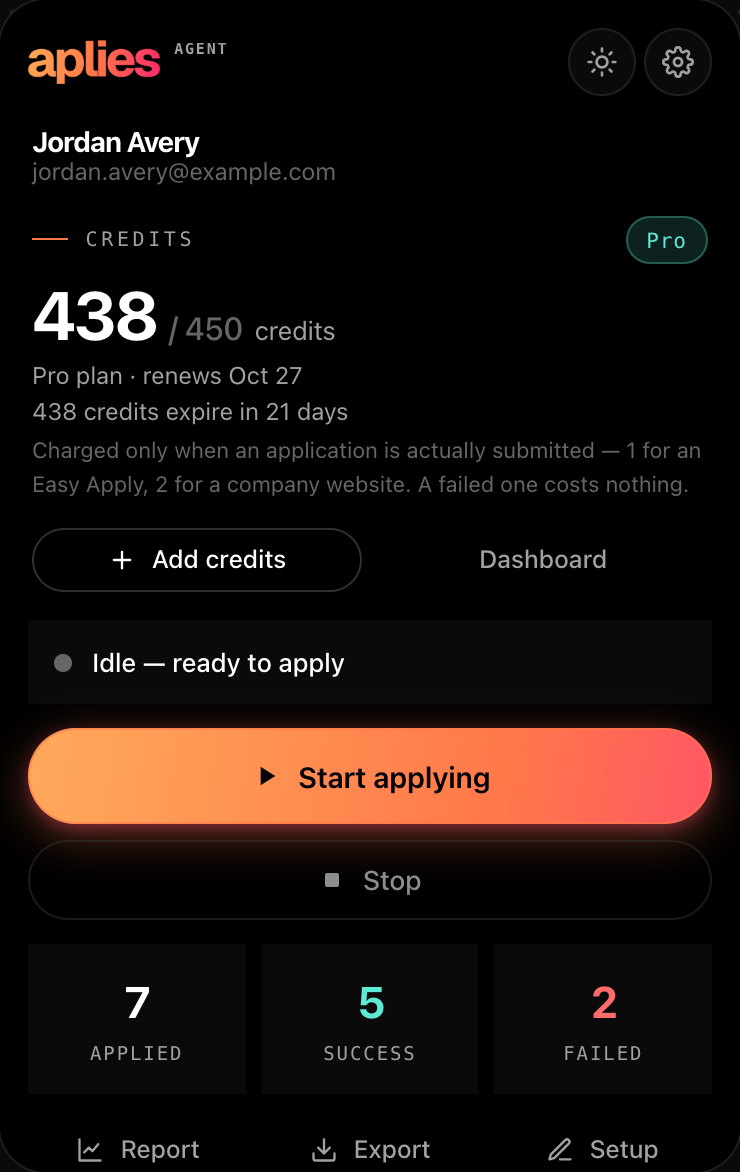
The Aplies Agent popup, connected and idle: the credit balance on the Pro plan, and the rule that a credit is charged only when an application is actually submitted.
The Agent's popup states the same rule.

Set the bar. Read the record.

Add the Agent to Chrome, set a high match minimum and turn on company career sites if you want them. You pay only for the applications it submits.